In Brood War, knowing what your opponent likes to open with is worth more than ten APM. Progamers prepare for every series by watching their opponent's recent games. You can do the same thing in five minutes, using the replays you already have.
This works best against people you meet often: ladder regulars, clan mates, league opponents, or a player you have a scheduled match against. You need at least a handful of games involving them, either your own games against them or their games against others.
Step 1: Gather their games
The more of their games you have, the better the report. Good sources:
- Your own games against them, already in your replay folder.
- Replays they or others shared: tournament packs, clan war replays, Discord channels.
- For progamers, the pro replay packs on the Repalyzer page.
Import these into Local Explorer. Then make sure Known Players links all their nicknames. A player who has renamed or uses a second account shows up as two different people until you link them, and half their games will be missing from the report.
Step 2: Open the Scouting card
On the Player dashboard, pick the opponent and open their Scouting card. It answers the four questions you care about before a game:
- What is the head-to-head? Your record against them, and the maps you have met on.
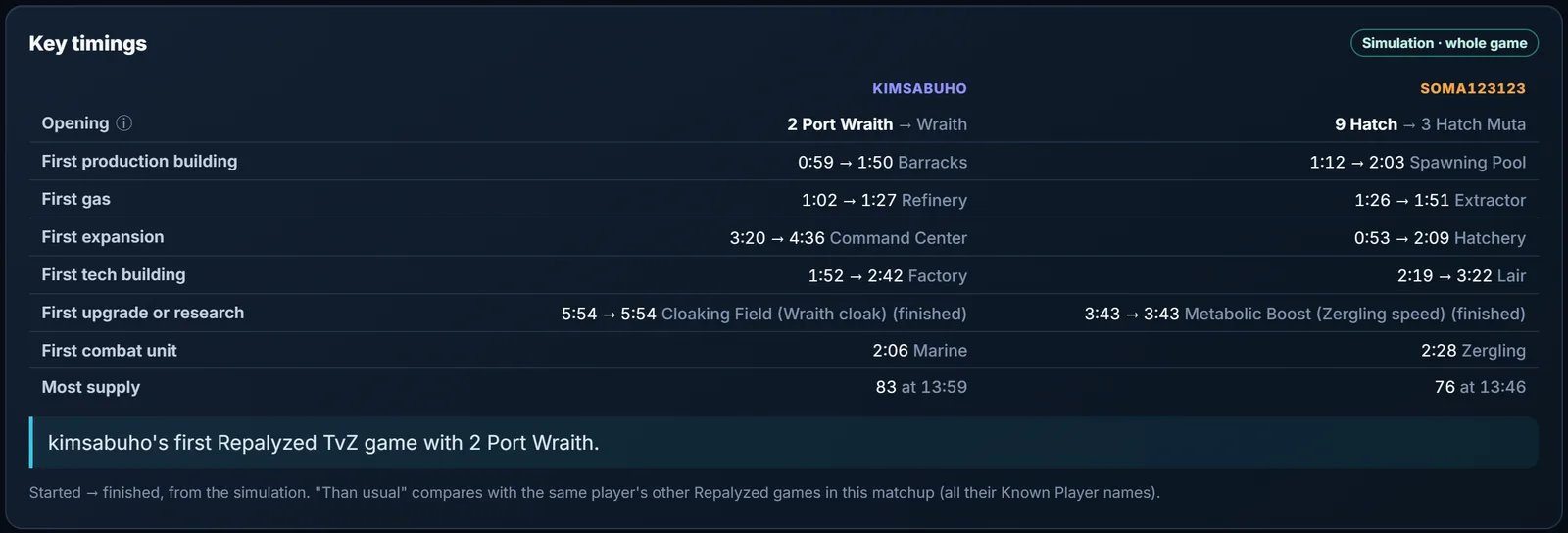
- What do they open with? Their openings, named from the build order, so you can see whether they are a player who always goes 2 Hatch Muta or one who mixes it up.
- What worked for you? The openings and approaches you used in the games you won against them.
- Which maps? Where you have played them, and how each went.
The opening names come from Repalyzer's catalogue of Brood War openings, based on the order, supply and timing of key buildings. Because the build is read from the simulation, Repalyzer sees their opening even in games where you never scouted it.
Step 3: Look at their dashboard, not just yours
The Player dashboard works for any player, not only you. Open your opponent's own dashboard and read it like a scout.
- Toughest matchup and map. If your opponent is a Zerg whose toughest matchup is ZvP, and you are Protoss, that is good news. If their toughest map is in your pool, push for it.
- Recent form. A player on a losing streak may be trying new things. A player on a winning streak has probably settled on something that works, so expect it again.
- Game length. Someone whose wins are mostly under 12 minutes plays a sharp, aggressive style. Someone who wins long games is comfortable in the late game. Plan the length of game you want.
Step 4: Use Patterns on them
Patterns compares a player's wins with their losses. Run it on your opponent and look for their weak spots.
If they get supply blocked much more in their losses, they struggle under pressure: harass early and often. If their losses come mostly against one opening, that opening is your plan. If they play much worse at certain times of day, that is a fun fact, but probably not one you can use.
Step 5: Write a three-line game plan
A scouting report is only useful if you can remember it mid-game. Boil it down to three lines, for example:
- "Opens 12 Hatch in 8 of 10 ZvP games. Expect fast third."
- "Lost 4 of 5 games where I went Forge Fast Expand into early Corsairs."
- "Weakest on Polypoid. Pick it if I can."
Then check the plan against reality. After the match, open the games in Repalyze and see whether they did what the report predicted.
Practice task
Pick the opponent you have played most this season. Build their Scouting card and write a three-line plan. Next time you meet them, play to the plan and compare the result with your head-to-head record.